1787601460147 Android Release v1.11Guest Filtering The Guests screen now supports guest list and segment filtering, making it easier to view only the guests you need. Performance and Stability Improvements Improved overall app speed and stability.
1787361720000 Several issues affecting Registration Forms have been resolvedEditing a registration form now sends email confirmations according to the configured Email Responders settings. An issue that could cause ticket forms with certain pricing and settings to display an error has been fixed.
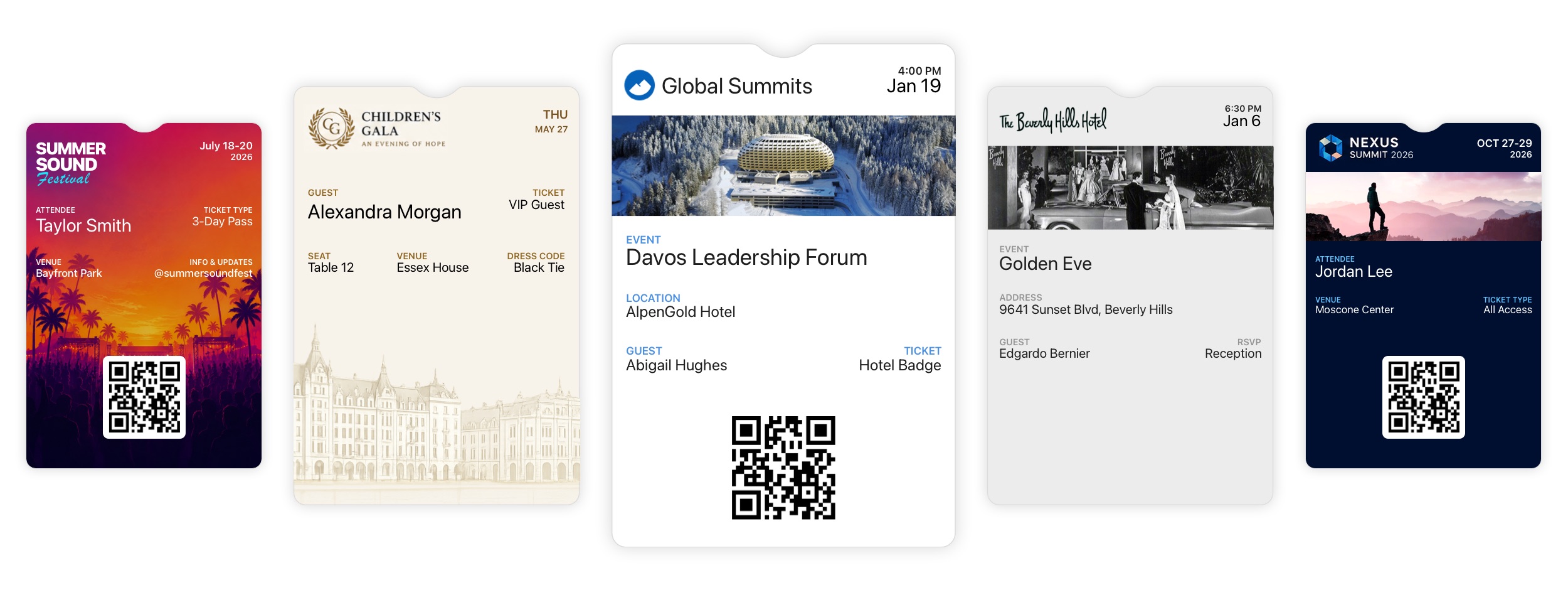
1786403181262 Branded Wallet Passes Are Here Announcement New Feature Diobox Wallet Passes now give you complete control over how your event appears in Apple Wallet and Google Wallet. Create fully branded, dynamic passes that give guests instant access to their event details and QR codes, right from their
1783958280000 Web App Bug FixesSeveral issues have been resolved across the web app: Events can now be cloned reliably under rare conditions. Multiple buttons in the email builder can link to the same registration form. The color picker now opens and closes correctly
1783583160000 Custom Segments Counts IssueA bug that caused custom Guest List counts in the Email Builder and SMS/WhatsApp Builder to display as zero has been fixed.
1781536620000 iOS v6.18.2Adds support for viewing icons and colors in Guest Lists. Guest Lists now appear in alphabetical order on relevant screens. Fixes an issue that prevented switching guest plus-ones after a successful QR code scan.
1780679760000 iOS v6.18.1 | Guest List Icons, Colors, and Plus-One FixesGuest Lists now support custom icons and colors. This update also fixes an issue that prevented switching guest plus-ones after a successful QR code scan.
1780239600000 iOS v6.18 | New Features and ImprovementsVersion 6.18 includes the following new features and improvements: Kiosk Mode Improvements: You can now hide the Event Title on the Home, Scanner, and Registration screens. When the title is hidden, the Brand Logo automatically expands to