1783354200000
Country Dropdown Improvements
The Country field in all forms now uses a standardized dropdown menu to improve data consistency. The dropdown highlights countries most relevant to the guest’s location before showing the full country list, and remains compatible with 1783009920000
Check-In Alert SMS Notifications
Check-In alerts now support SMS notifications. Event collaborators can be notified by SMS and/or email when specific guests on Guest Lists check in.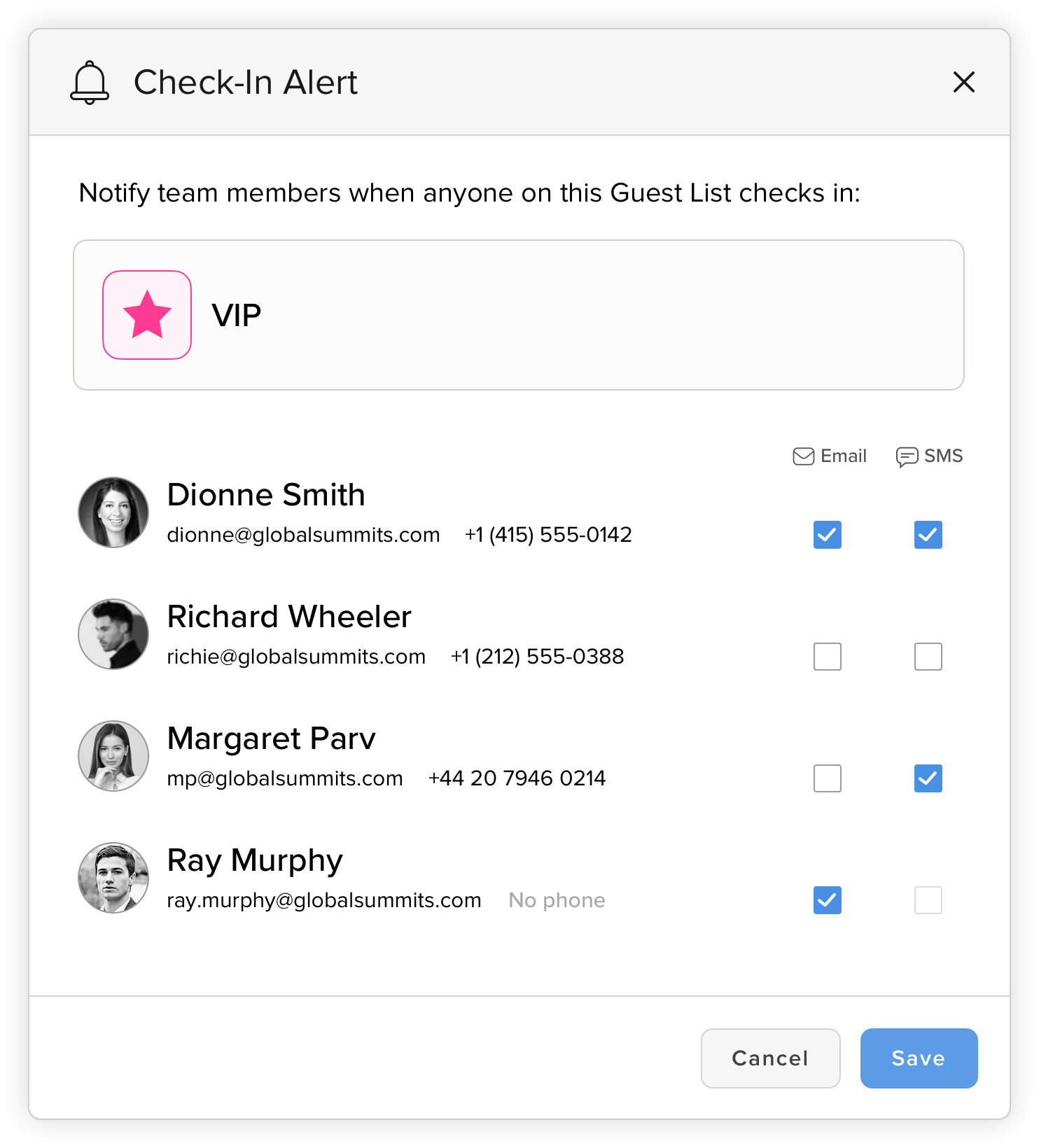
1782881940000
Guest Column View Sorting and Status Fields
New guest fields have been added to the Guests Column View, including WhatsApp Opt-In and Email Subscription statuses. You can now click these and other fields to sort guests by the selected column. 1782839400000
Custom RSVP Button Styling
Email Builder now includes additional customization options for RSVP buttons. You can set the font, size, border radius, padding, colors, and other styling details to better align buttons with your brand guidelines.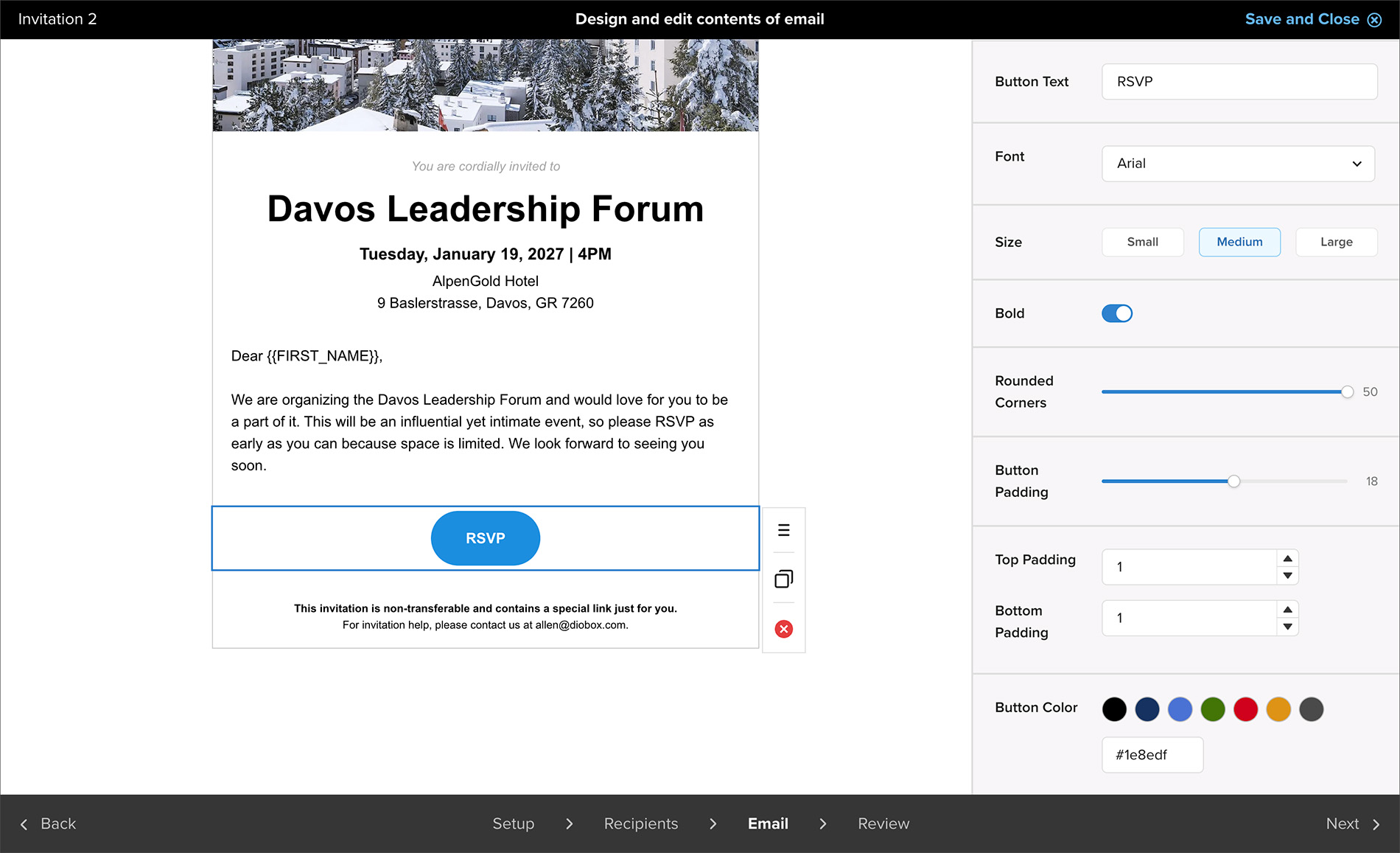
1782364980000
Team Member Profile Updates
Team Member profiles now include a phone number field that can be used to send SMS check-in alerts. Additional UI/UX improvements have also been made to make Team Member profiles easier to view and manage. 1781565300000
Android Release v1.10
Adds support for viewing custom icons and colors in Guest Lists. 1781536620000
iOS v6.18.2
Adds support for viewing icons and colors in Guest Lists. Guest Lists now appear in alphabetical order on relevant screens. Fixes an issue that prevented switching guest plus-ones after a successful QR code scan. 1781112360000
Kiosk Preview Improvements
Kiosk preview now displays the newly added title customization and logo placement options, making it easier to review how the kiosk will appear before publishing. 1780679760000
iOS v6.18.1 | Guest List Icons, Colors, and Plus-One Fixes
Guest Lists now support custom icons and colors. This update also fixes an issue that prevented switching guest plus-ones after a successful QR code scan.