1787361720000
Several issues affecting Registration Forms have been resolved
Editing a registration form now sends email confirmations according to the configured Email Responders settings. An issue that could cause ticket forms with certain pricing and settings to display an error has been fixed. 1786403181262
Branded Wallet Passes Are Here
Diobox Wallet Passes now give you complete control over how your event appears in Apple Wallet and Google Wallet. Create fully branded, dynamic passes that give guests instant access to their event details and QR codes, right from their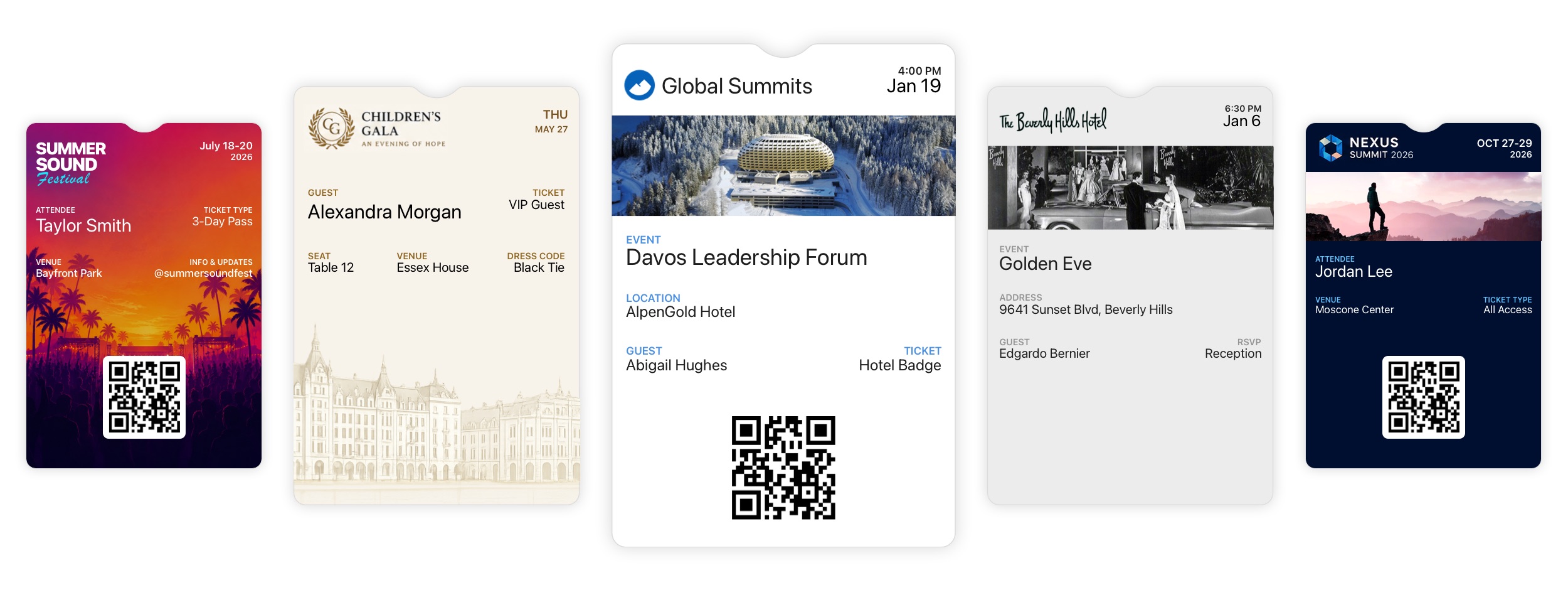
1786110660000
Speak Your Guests’ Language with Language Templates
Language Templates are now available in Diobox, giving you full control over the terminology and messages guests see throughout your event. Whether you’re hosting an international audience, running registration in multiple languages, or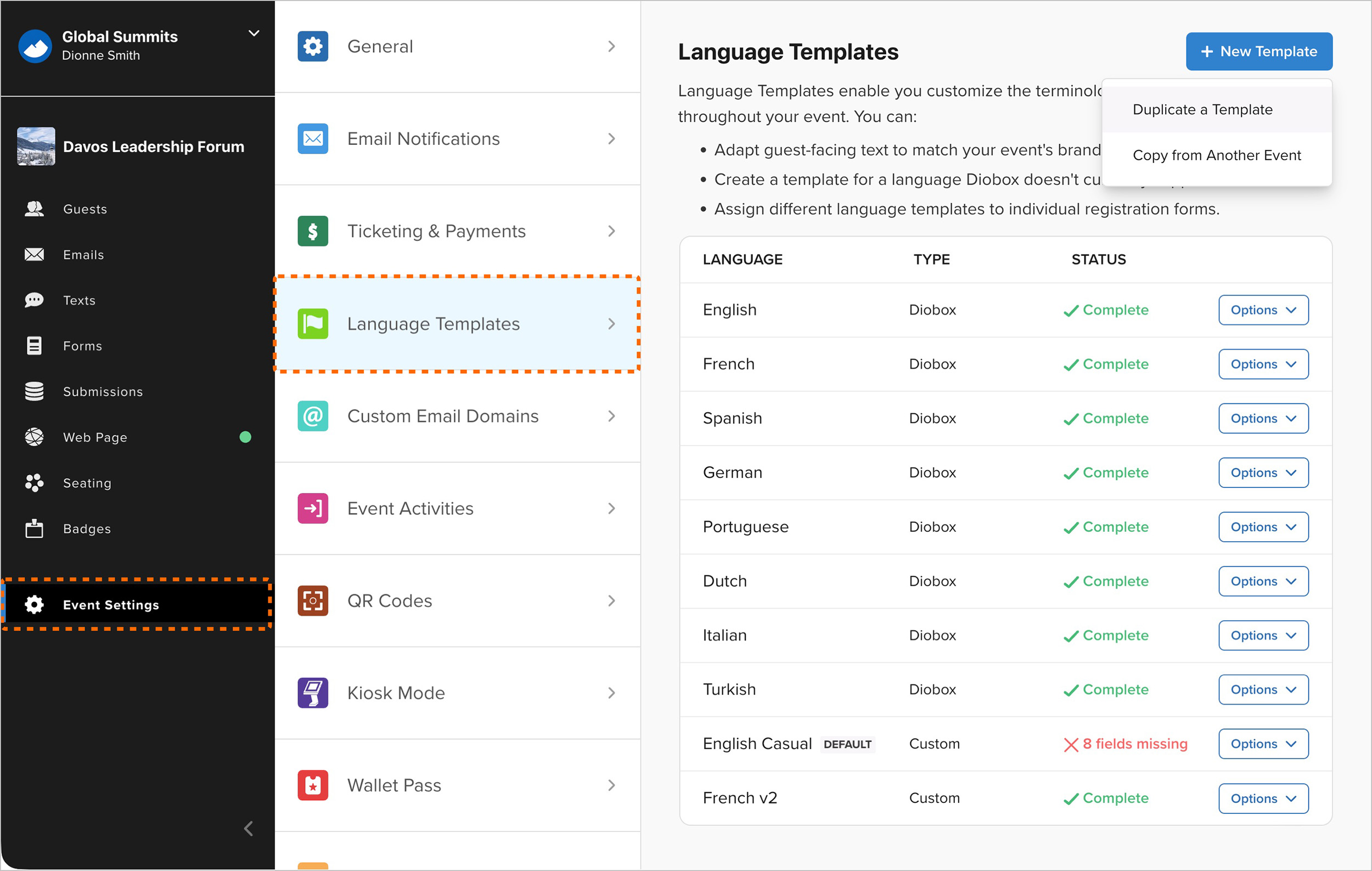
1784909460000
Lead Retrieval Updates
Major new improvements to Lead Retrieval give event organizers more control over licenses, exhibitors, and collected leads. Flexible License Purchasing: Organizers can purchase Lead Retrieval licenses directly within an event or have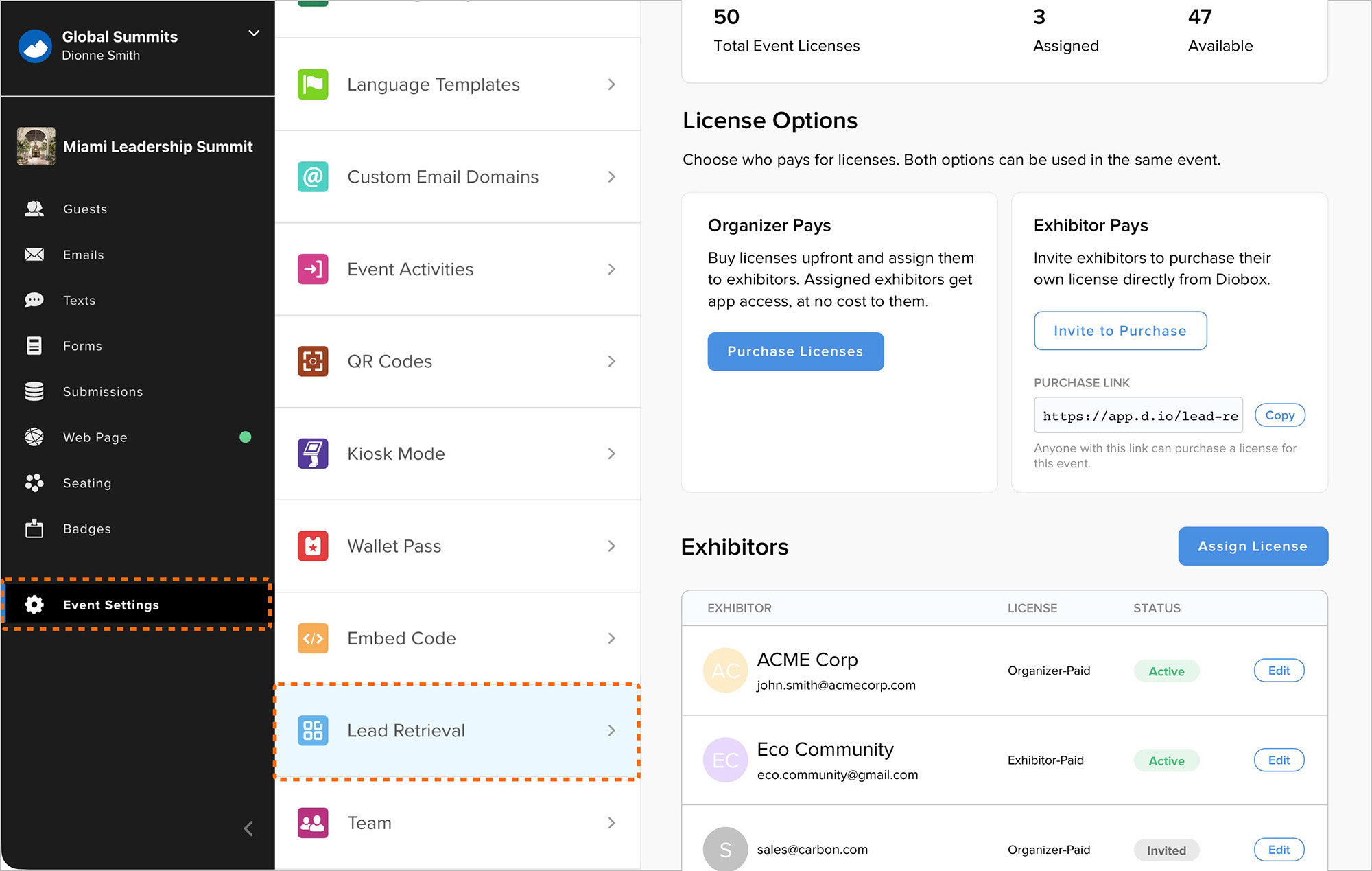
1784131809733
Expanded Event Team Management
Admins can now create team member accounts directly, assign licenses, and set passwords from Event Team Settings. Invitations can still be sent when team members should create their own accounts. This makes it easier to set up accounts for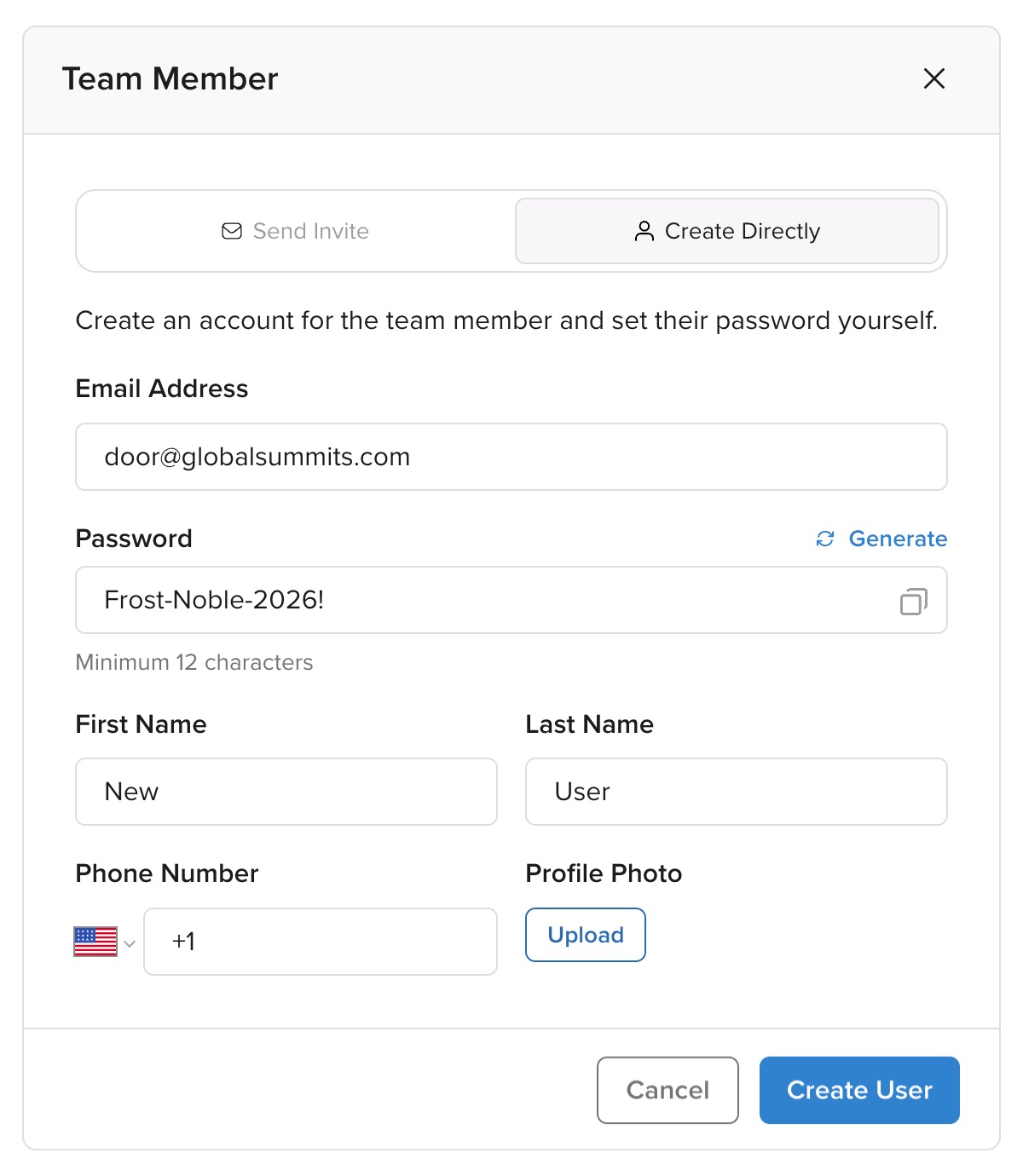
1783958280000
Web App Bug Fixes
Several issues have been resolved across the web app: Events can now be cloned reliably under rare conditions. Multiple buttons in the email builder can link to the same registration form. The color picker now opens and closes correctly 1783629621268
Redesigned Registration Form Settings
Registration Form settings now have a redesigned, more user-friendly interface. Form attributes are organized more clearly, making settings easier to edit and providing a more consistent experience across different forms.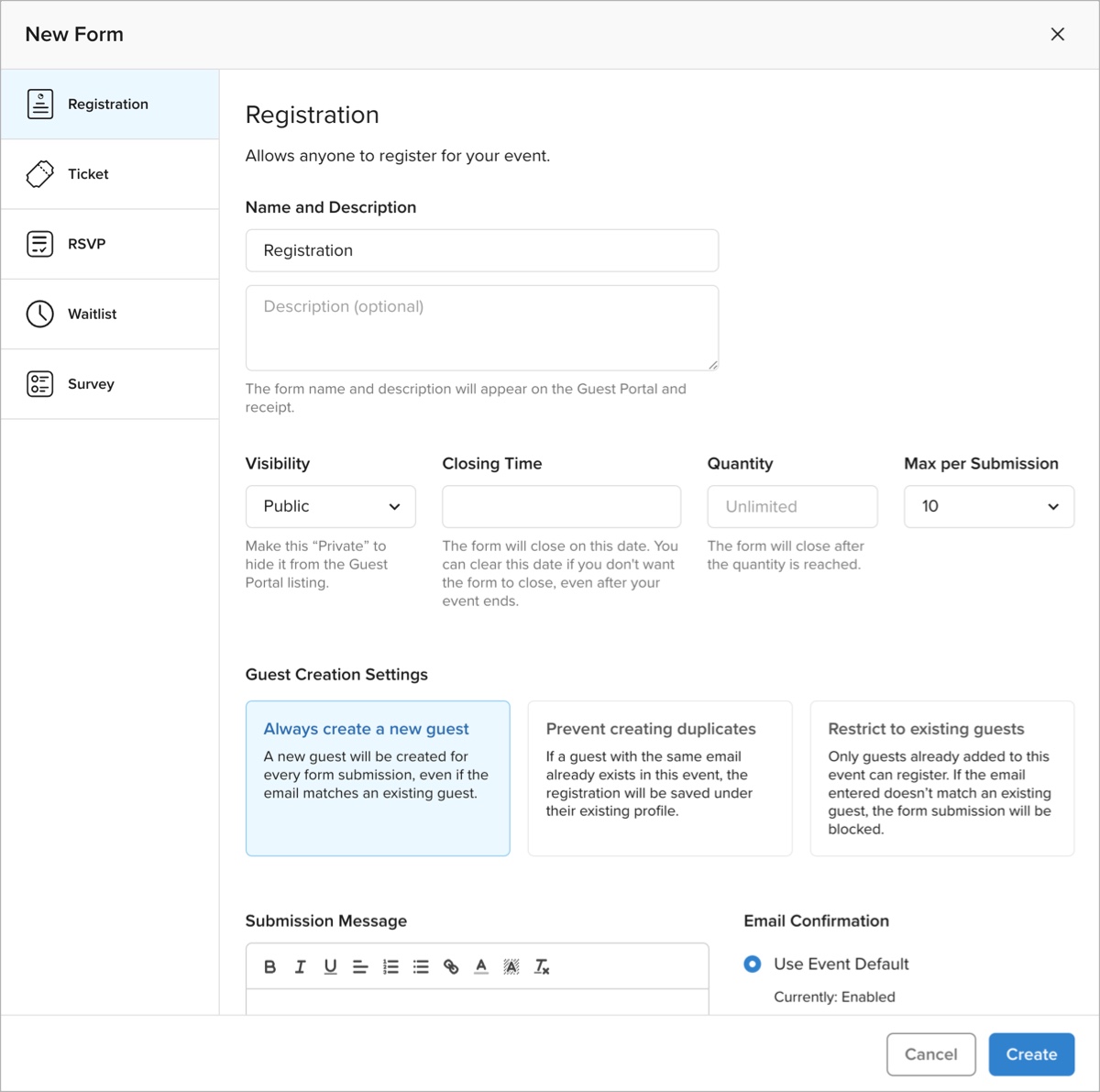
1783583160000
Custom Segments Counts Issue
A bug that caused custom Guest List counts in the Email Builder and SMS/WhatsApp Builder to display as zero has been fixed. 1783009920000
Check-In Alert SMS Notifications
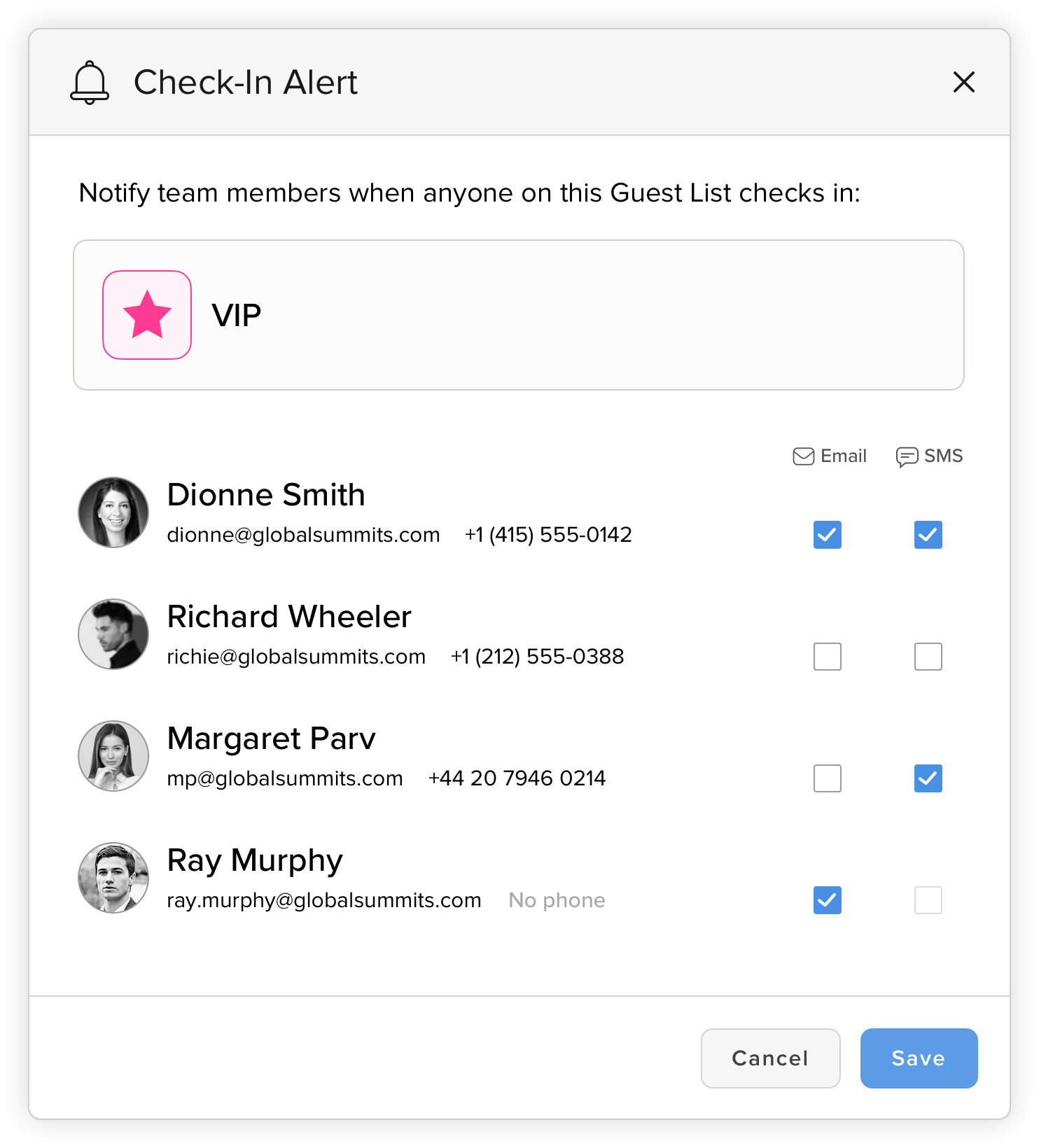
Check-In alerts now support SMS notifications. Event collaborators can be notified by SMS and/or email when specific guests on Guest Lists check in.