1787601460147
Android Release v1.11
Guest Filtering The Guests screen now supports guest list and segment filtering, making it easier to view only the guests you need. Performance and Stability Improvements Improved overall app speed and stability. 1787361720000
Several issues affecting Registration Forms have been resolved
Editing a registration form now sends email confirmations according to the configured Email Responders settings. An issue that could cause ticket forms with certain pricing and settings to display an error has been fixed. 1784909460000
Lead Retrieval Updates
Major new improvements to Lead Retrieval give event organizers more control over licenses, exhibitors, and collected leads. Flexible License Purchasing: Organizers can purchase Lead Retrieval licenses directly within an event or have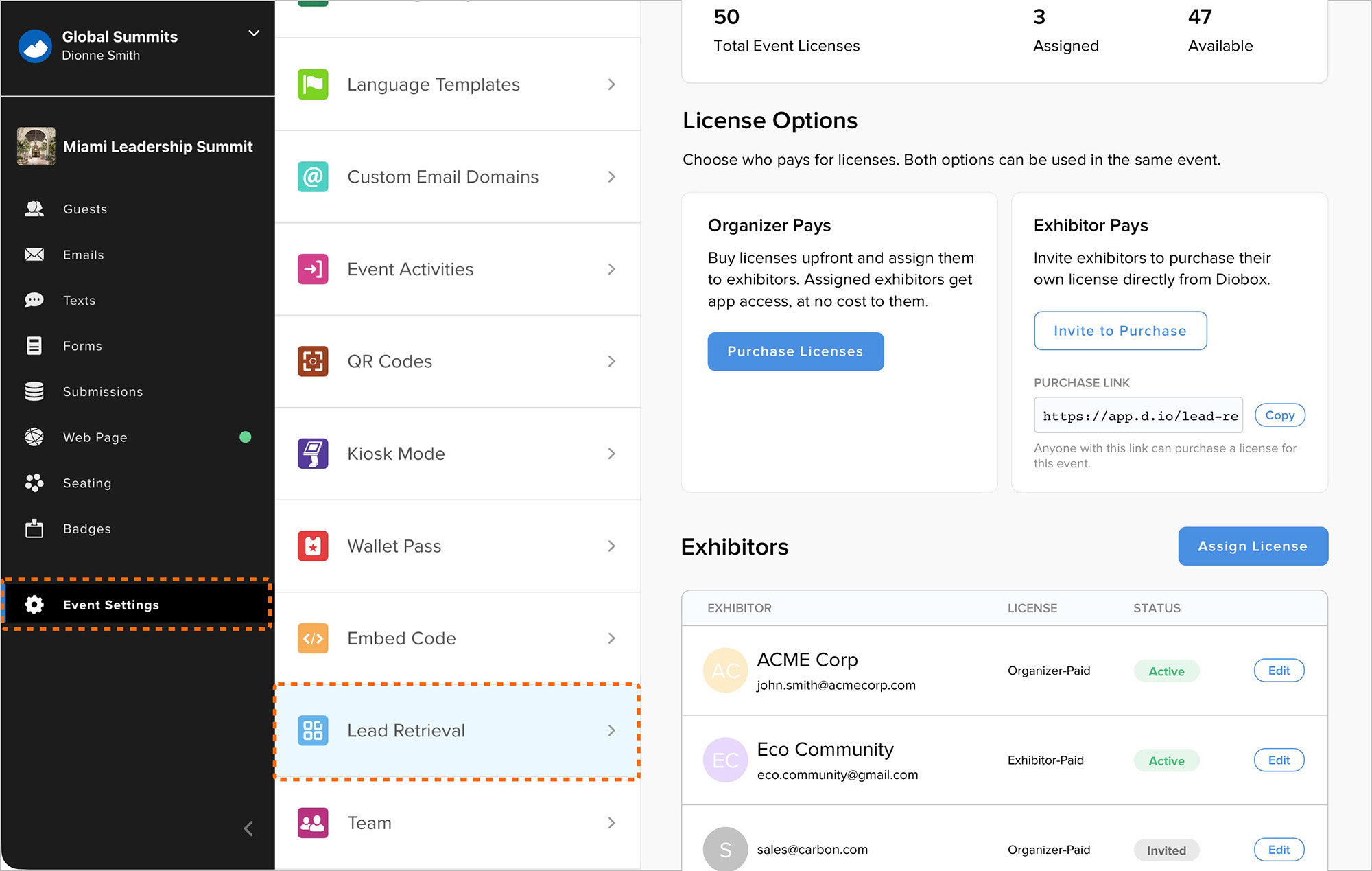
1783958280000
Web App Bug Fixes
Several issues have been resolved across the web app: Events can now be cloned reliably under rare conditions. Multiple buttons in the email builder can link to the same registration form. The color picker now opens and closes correctly 1783583160000
Custom Segments Counts Issue
A bug that caused custom Guest List counts in the Email Builder and SMS/WhatsApp Builder to display as zero has been fixed. 1783370280000
Custom Question Filters in Guest Segments
Guest List segments can now filter by responses to custom questions included in form submissions. This makes it easier to create targeted segments from the main Guests tab using guest attributes alongside submitted form responses.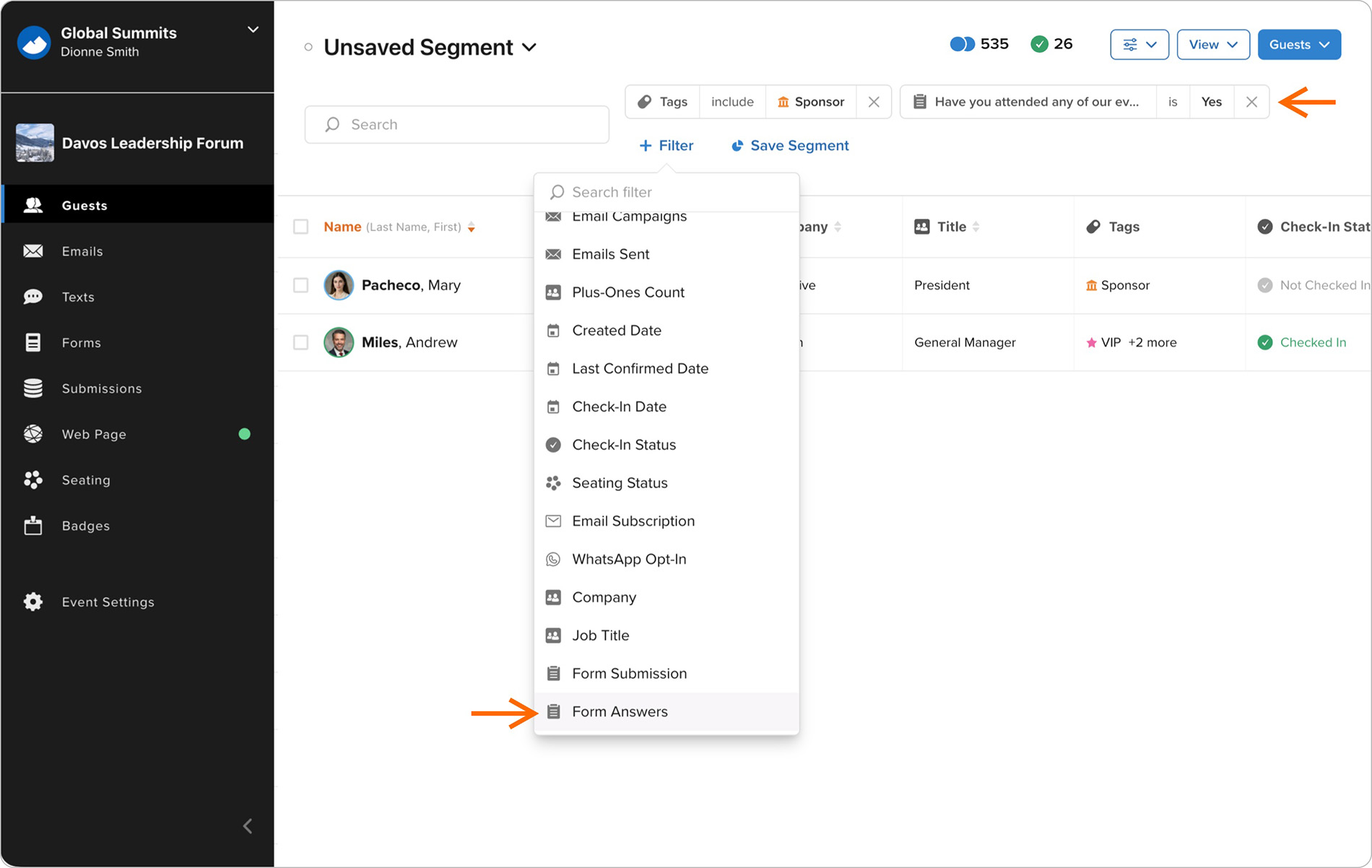
1783354200000
Country Dropdown Improvements
The Country field in all forms now uses a standardized dropdown menu to improve data consistency. The dropdown highlights countries most relevant to the guest’s location before showing the full country list, and remains compatible with 1782881940000
Guest Column View Sorting and Status Fields
New guest fields have been added to the Guests Column View, including WhatsApp Opt-In and Email Subscription statuses. You can now click these and other fields to sort guests by the selected column. 1782839400000
Custom RSVP Button Styling
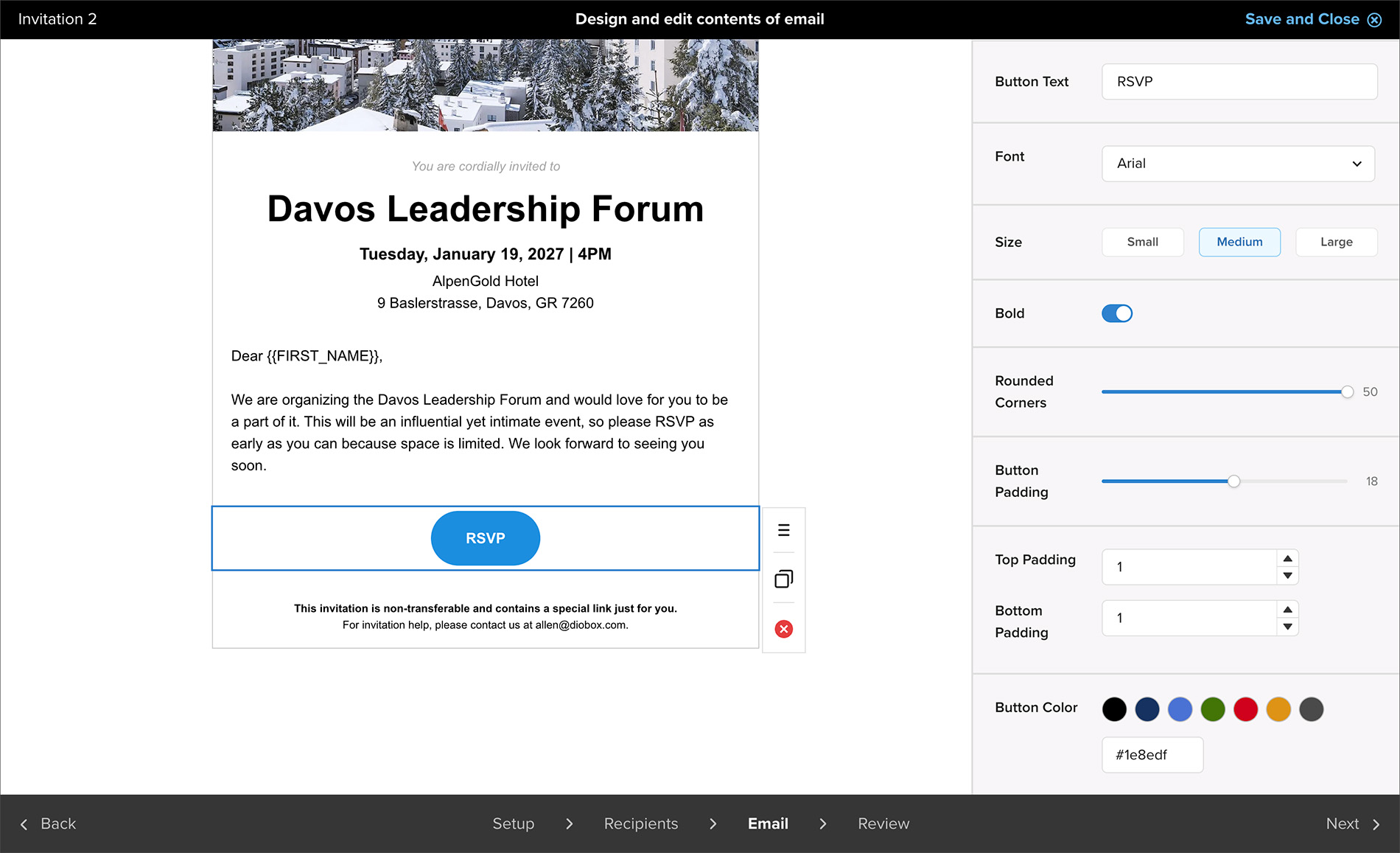
Email Builder now includes additional customization options for RSVP buttons. You can set the font, size, border radius, padding, colors, and other styling details to better align buttons with your brand guidelines.